IMPORTANT - PLEASE READ
IMPORTANT - PLEASE READ
IMPORTANT
PLEASE READ
Here are instructions on how to select photos and recommendations.
Here are instructions on how to select photos and recommendations.
Here are instructions on how to select photos and recommendations.
1. You need to select your photos within 2-3 days. They will be automatically deleted after 14 days, and we won't be able to edit them after that.
2. Please select photos according to your package. We'll start editing only after you've chosen all photos. We don't process photos in parts (Silver - 6 photos, Gold - 12 photos, Diamond - 24 photos).
1 photo for editing - is a photo + digital background (OR with a Simple Background).
3.1 If you'd like to order additional professionally edited photos, please message our manager on Facebook or Instagram, and they'll guide you through the process. The editing fee is $20 per photo, or you can purchase a 7-photo retouch bundle for $95.
3.2 If you’d like to receive your edited photos sooner, we offer priority retouching with delivery in 5–7 days for a flat fee of $65.
4. When selecting photos: focus only on facial expressions and overall pose. We will remove any unnecessary elements.
5. Please provide the complete photo filename (for example, IMG_7629 - not just the serial number from Google Drive). For each photo, specify either the digital background number or write "Simple" if you want to keep the original background. Please also include your comments on the photos, if any.
Your request should look like this:
IMG_1046 Background 19 - remove watch from my husband’s hand, and make me a little thinner.
IMG_1389 Simple Background.
6. We edit parent/family photos on a simple white or light gray background, so you only need to select the photos and share any retouching preferences you may have. You can see examples of our family photos below.
For example:
IMG_1050 Simple background.
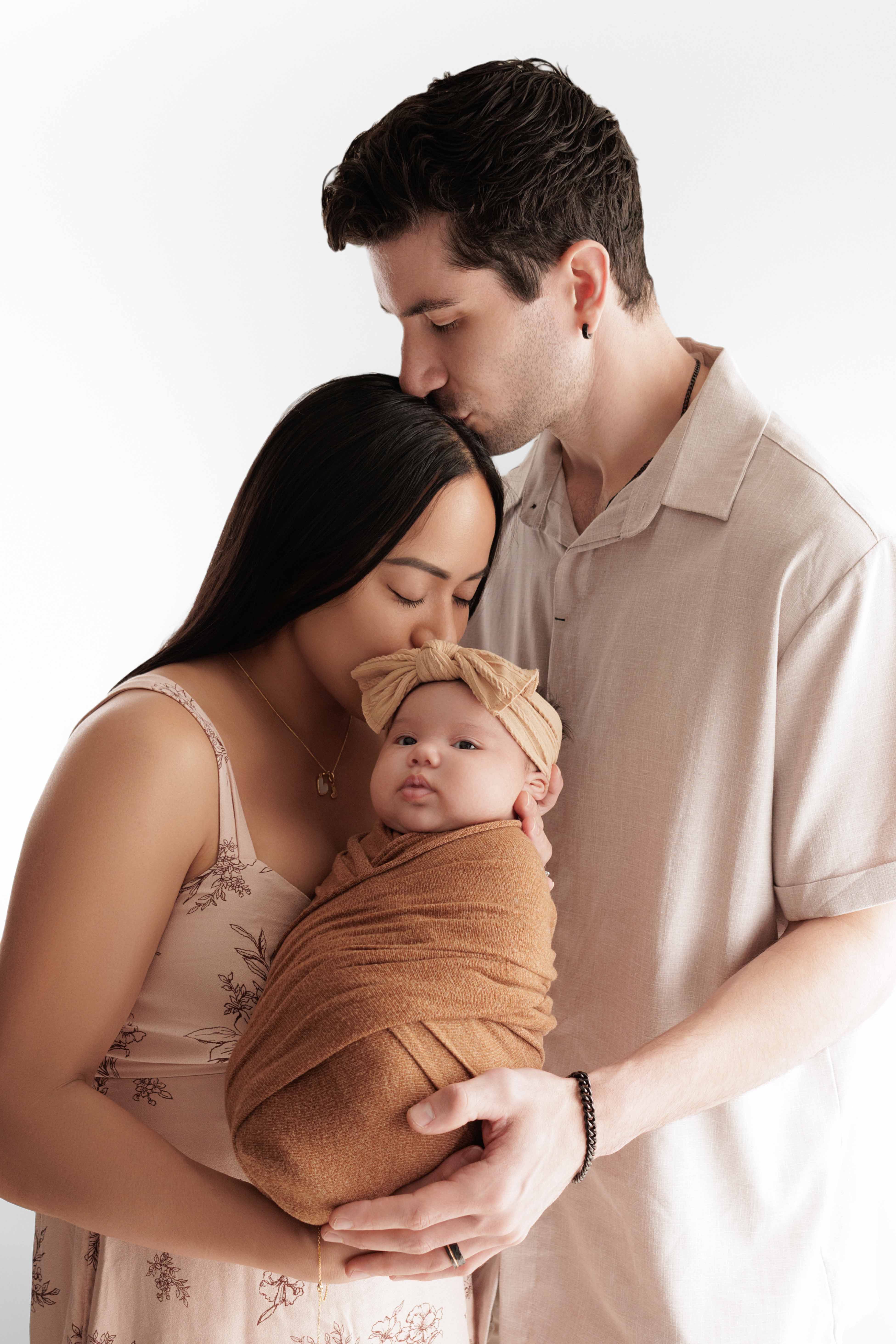
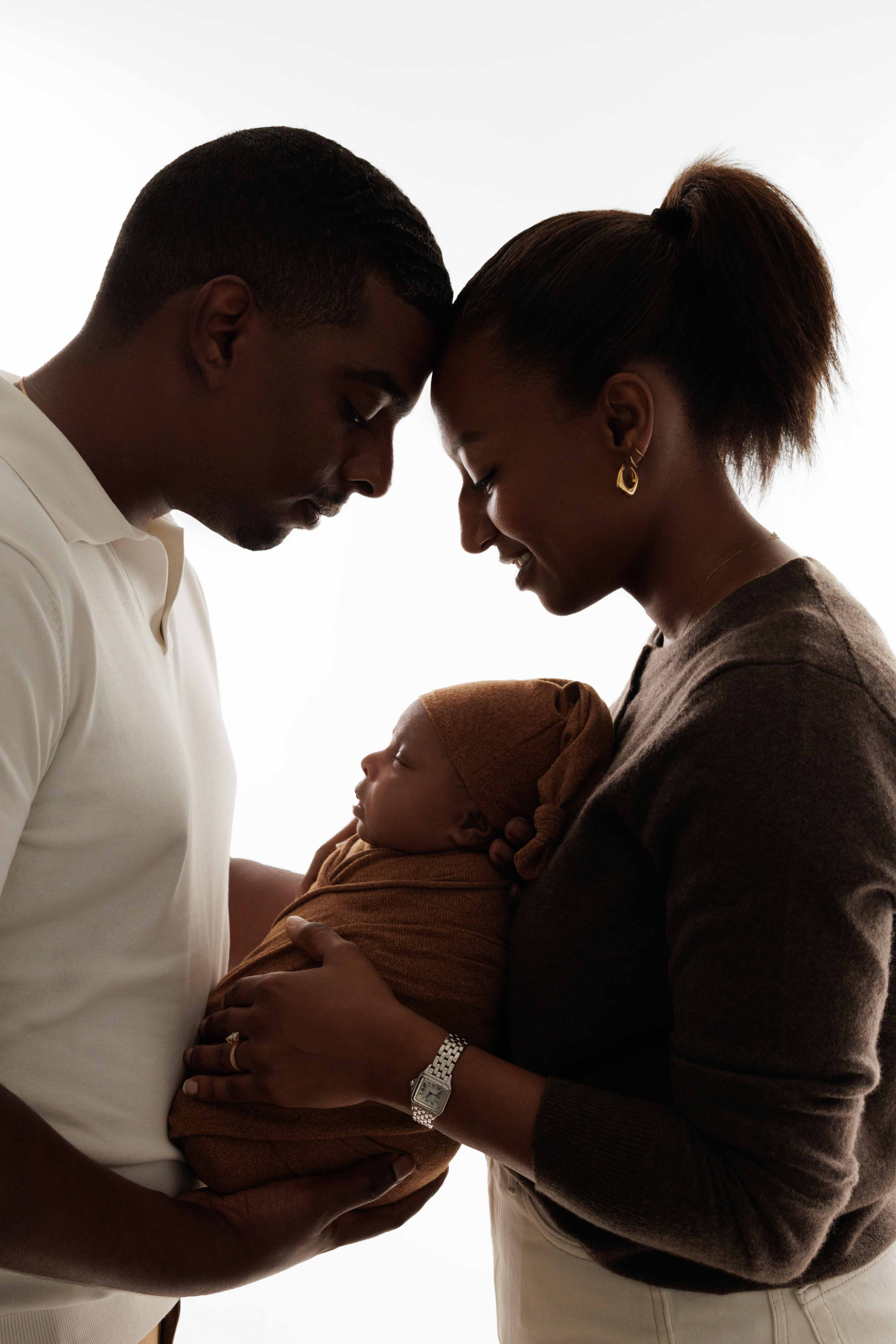
7. For digital backgrounds designed for face insertion (these are backgrounds where the baby’s body is already present and only the face is added), please choose photos where the baby’s face is looking straight at the camera, without any tilt or angle.
Alternatively, you may trust us to select the most suitable photo for you. In that case, simply provide the background number, for example:
Background 115
Background 127
You can see an example of a suitable background and a matching photo below.
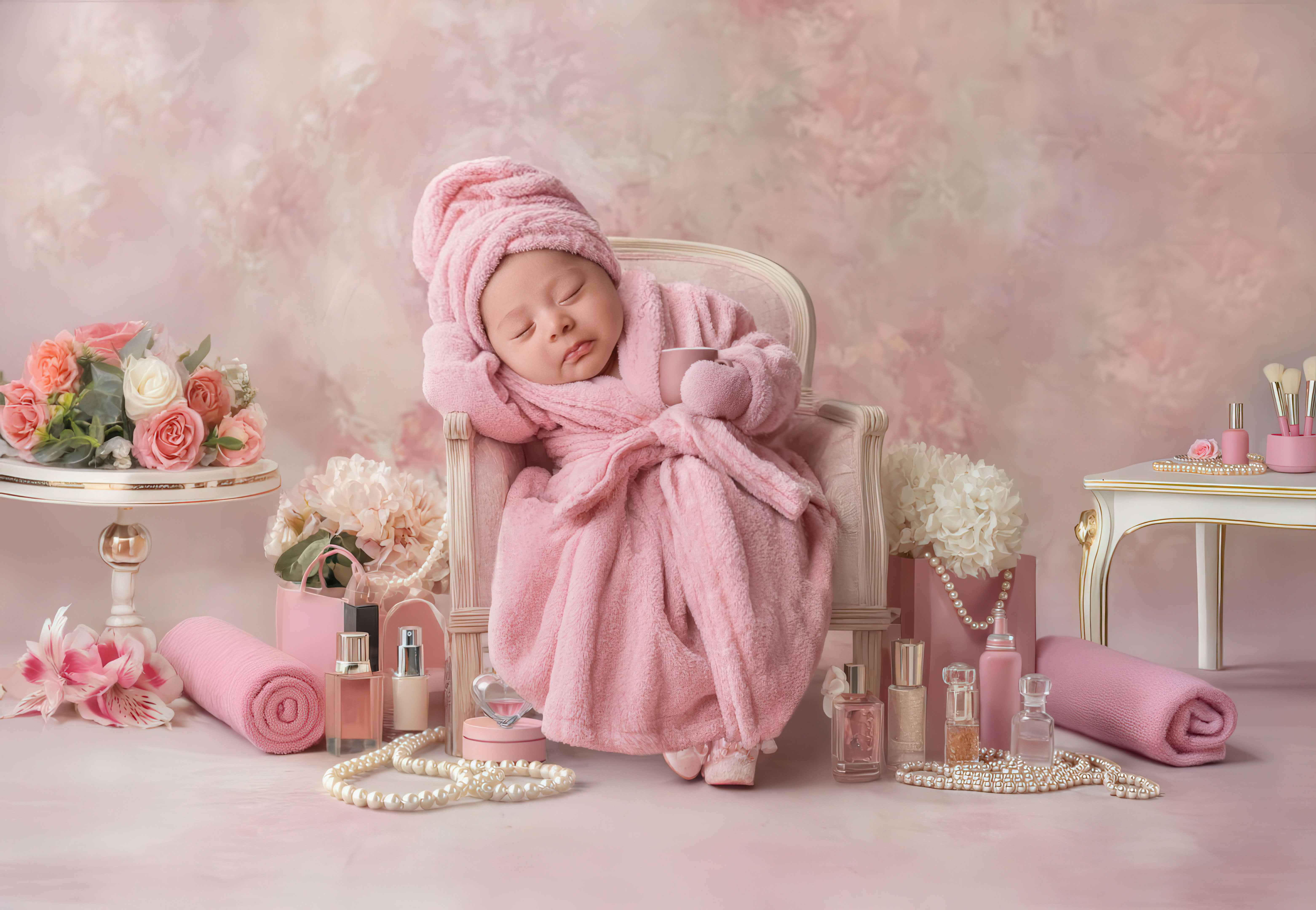
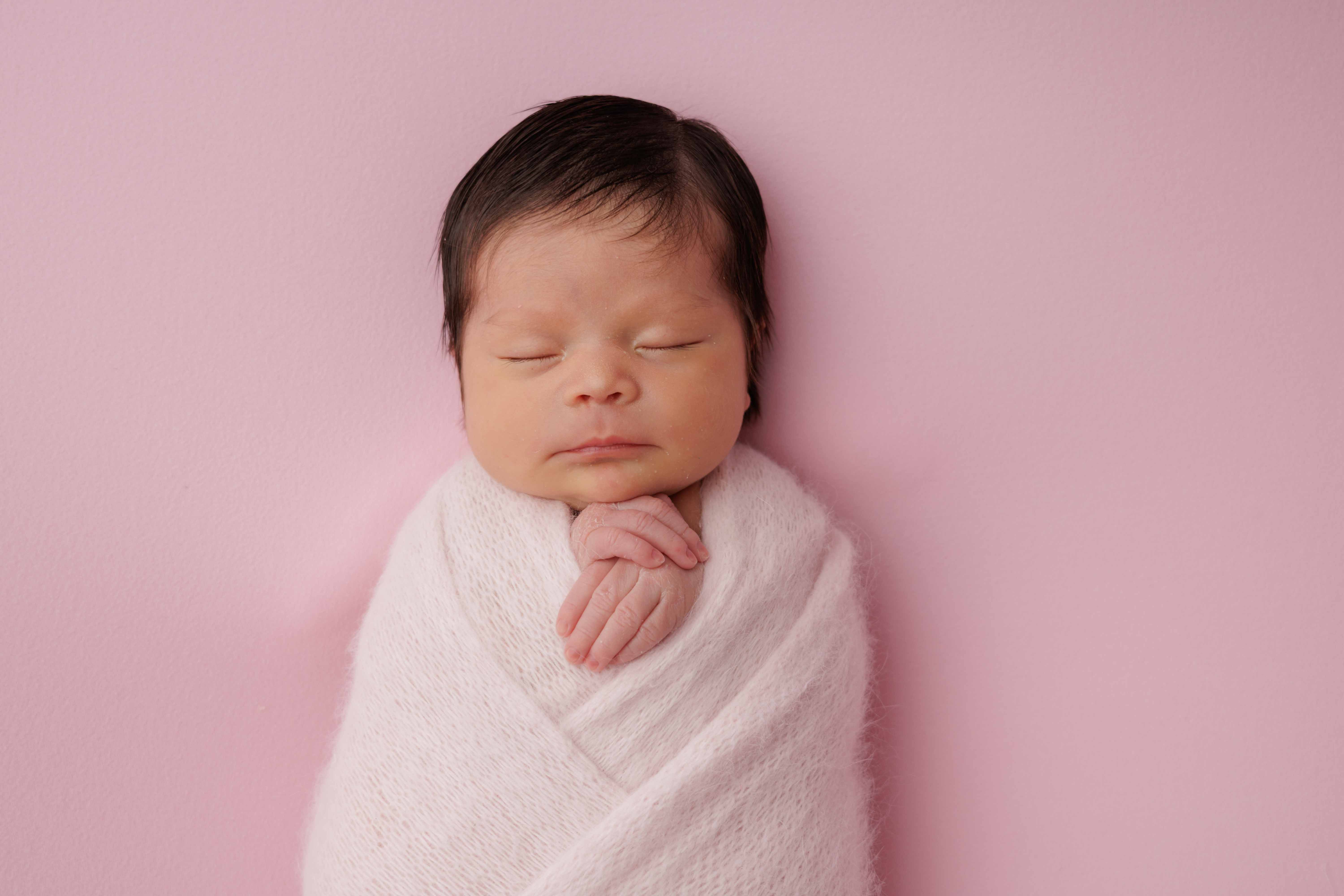
8. Please note that we do not accept photo selections in the form of screenshots. We kindly ask you to send only a text-based list.
No worries — if any selected background does not match a photo, we will let you know before retouching begins and suggest a suitable replacement.
Your final list in the message should look like this.
For example, if your package includes 6 photos:
1) IMG_1010 — Simple background
2) IMG_1020 — Simple background
3) IMG_1033 — Simple background
4) IMG_1044 — Simple background
5) Background 115
6) Background 120
Thank you! If you have any questions, please don’t hesitate to ask — we’re always here and happy to help. 😊
Digital Backgrounds
1. You need to select your photos within 2-3 days. They will be automatically deleted after 14 days, and we won't be able to edit them after that.
2. Please select photos according to your package. We'll start editing only after you've chosen all photos. We don't process photos in parts (Silver - 6 photos, Gold - 12 photos, Diamond - 24 photos).
1 photo for editing - is a photo + digital background (OR with a Simple Background).
3.1 If you'd like to order additional professionally edited photos, please message our manager on Facebook or Instagram, and they'll guide you through the process. The editing fee is $20 per photo, or you can purchase a 7-photo retouch bundle for $95.
3.2 If you’d like to receive your edited photos sooner, we offer priority retouching with delivery in 5–7 days for a flat fee of $65.
4. When selecting photos: focus only on facial expressions and overall pose. We will remove any unnecessary elements.
5. Please provide the complete photo filename (for example, IMG_7629 - not just the serial number from Google Drive). For each photo, specify either the digital background number or write "Simple" if you want to keep the original background. Please also include your comments on the photos, if any.
Your request should look like this:
IMG_1389 Simple Background.
1. You need to select your photos within 2-3 days. They will be automatically deleted after 14 days, and we won't be able to edit them after that.
2. Please select photos according to your package. We'll start editing only after you've chosen all photos. We don't process photos in parts (Silver - 6 photos, Gold - 12 photos, Diamond - 24 photos).
1 photo for editing - is a photo + digital background (OR with a Simple Background).
3.1 If you'd like to order additional professionally edited photos, please message our manager on Facebook or Instagram, and they'll guide you through the process. The editing fee is $20 per photo, or you can purchase a 7-photo retouch bundle for $95.
3.2 If you’d like to receive your edited photos sooner, we offer priority retouching with delivery in 5–7 days for a flat fee of $65.
4. When selecting photos: focus only on facial expressions and overall pose. We will remove any unnecessary elements.
5. Please provide the complete photo filename (for example, IMG_7629 - not just the serial number from Google Drive). For each photo, specify either the digital background number or write "Simple" if you want to keep the original background. Please also include your comments on the photos, if any.
Your request should look like this:
IMG_1389 Simple Background.
6. We edit parent/family photos on a simple white or light gray background, so you only need to select the photos and share any retouching preferences you may have. You can see examples of our family photos below.
For example:
IMG_1050 Simple background.
7. For digital backgrounds designed for face insertion (these are backgrounds where the baby’s body is already present and only the face is added), please choose photos where the baby’s face is looking straight at the camera, without any tilt or angle.
Alternatively, you may trust us to select the most suitable photo for you. In that case, simply provide the background number, for example:
Background 115
Background 127
You can see an example of a suitable background and a matching photo below.
8. Please note that we do not accept photo selections in the form of screenshots. We kindly ask you to send only a text-based list.
No worries — if any selected background does not match a photo, we will let you know before retouching begins and suggest a suitable replacement.
Your final list in the message should look like this.
For example, if your package includes 6 photos:
1) IMG_1010 — Simple background
2) IMG_1020 — Simple background
3) IMG_1033 — Simple background
4) IMG_1044 — Simple background
5) Background 115
6) Background 120
Thank you! If you have any questions, please don’t hesitate to ask — we’re always here and happy to help. 😊